
Download LawRedact
Licensed platforms: download after purchase and activate on-device. iOS: install the free Lite edition from the App Store. Fully offline — no uploads.
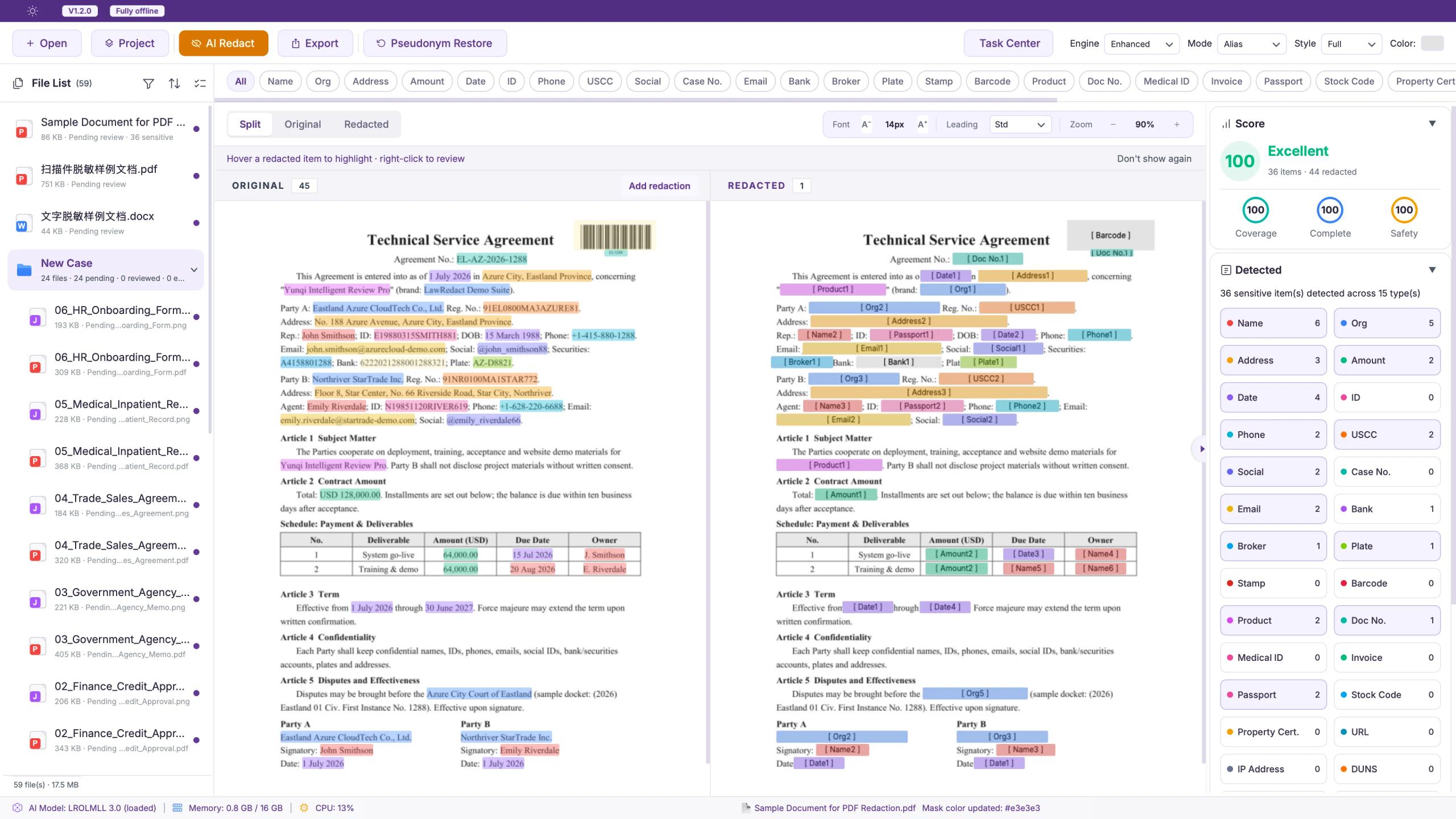
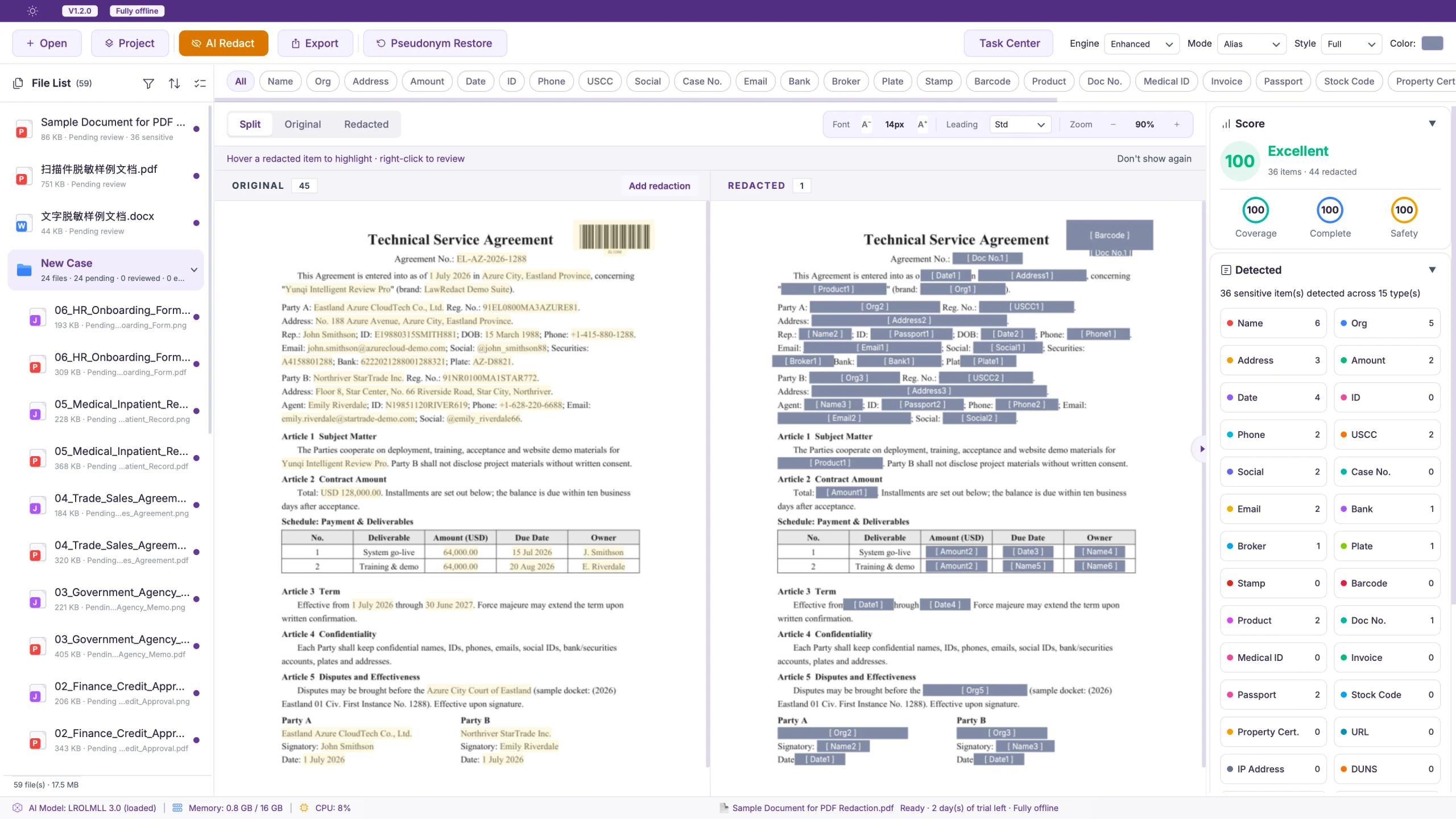
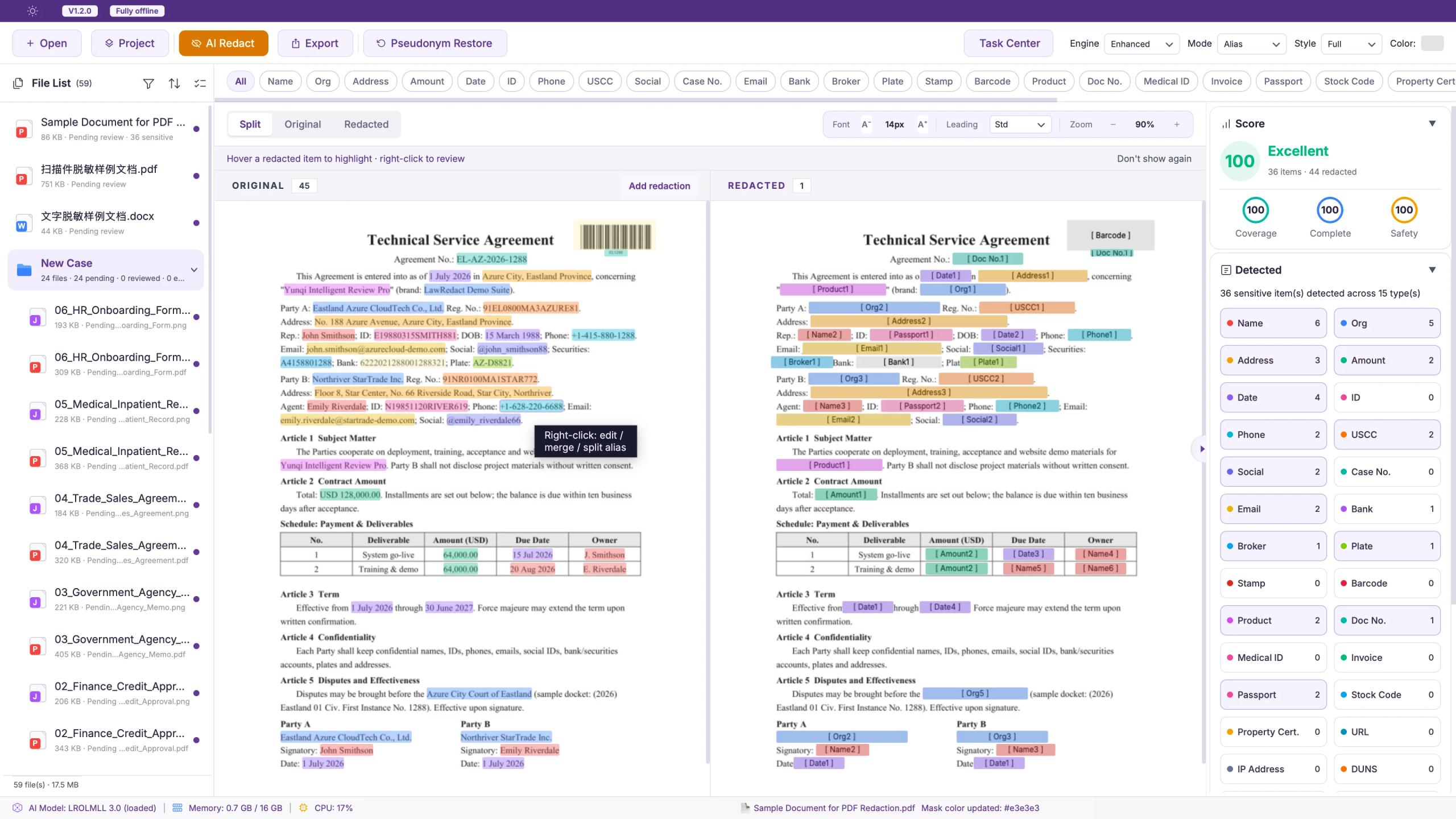
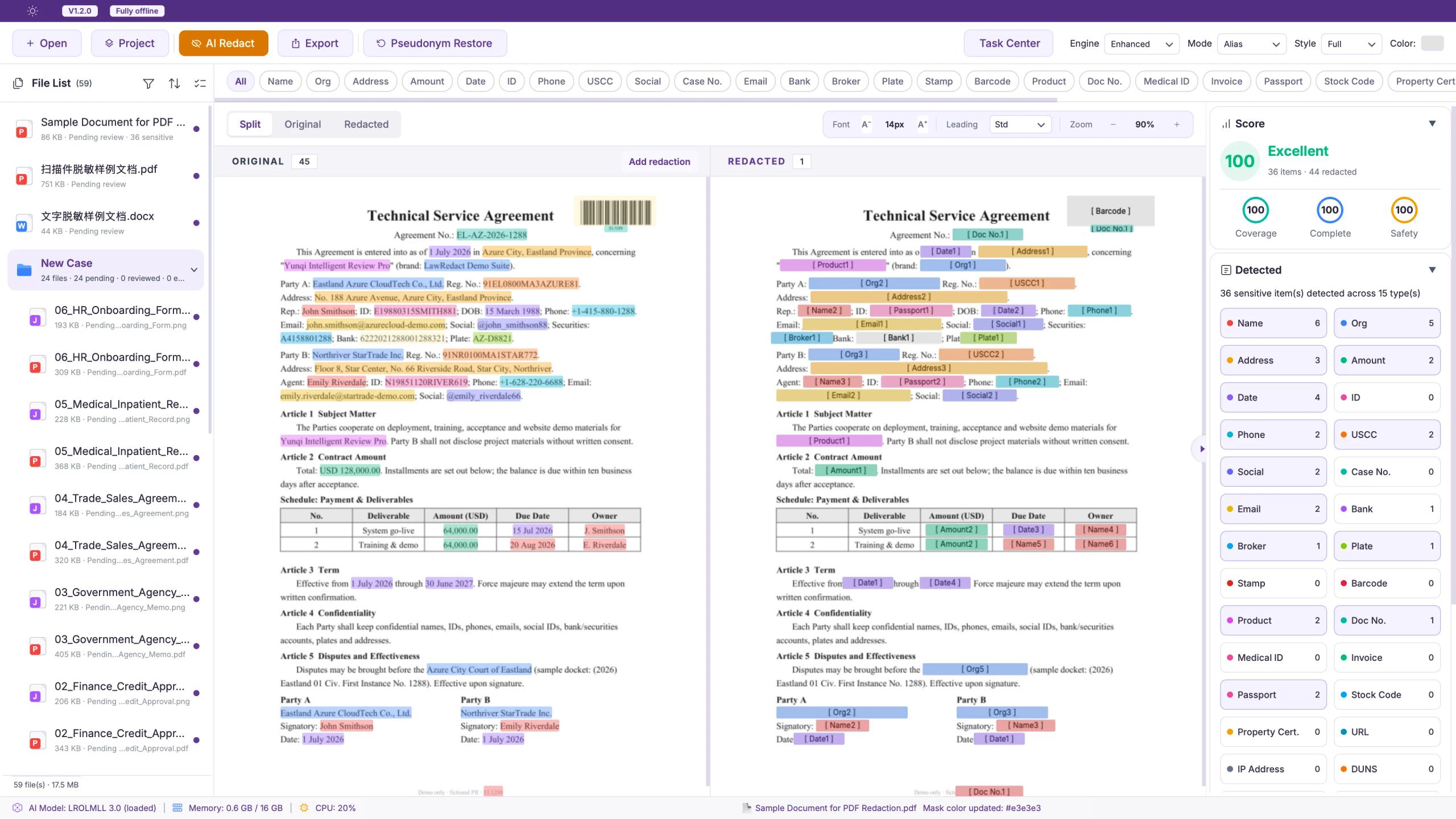
Desktop · detect & review
Desktop Full Suite
The full workstation for firms and in-house legal — batch cases, offline A/V transcription, quality scoring, outbound review, and reversible redaction.
One-time license · Perpetual use · 1 year free updates · Desktop plans include 1 Android / HarmonyOS seat
- 45 sensitive entity types · Chinese, English, Japanese, Korean
- Word, PDF, Excel, and A/V transcription — fully on-device
- Folder and case batch import with shared pseudonym maps
- Quality score, templates, and reversible redaction for audit-ready outbound
Android / HarmonyOS require a purchased license and activation. The iOS App Store edition is permanently free — no activation.
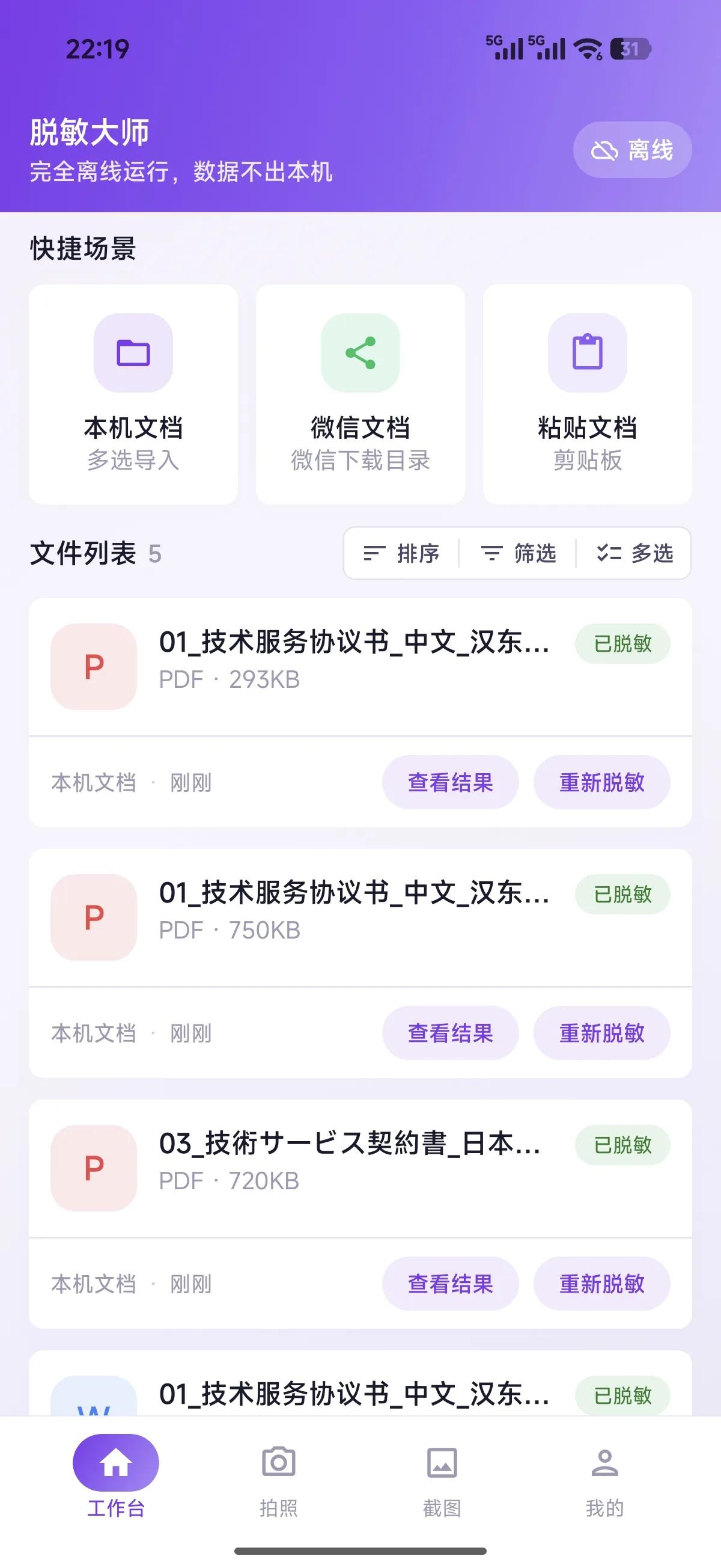
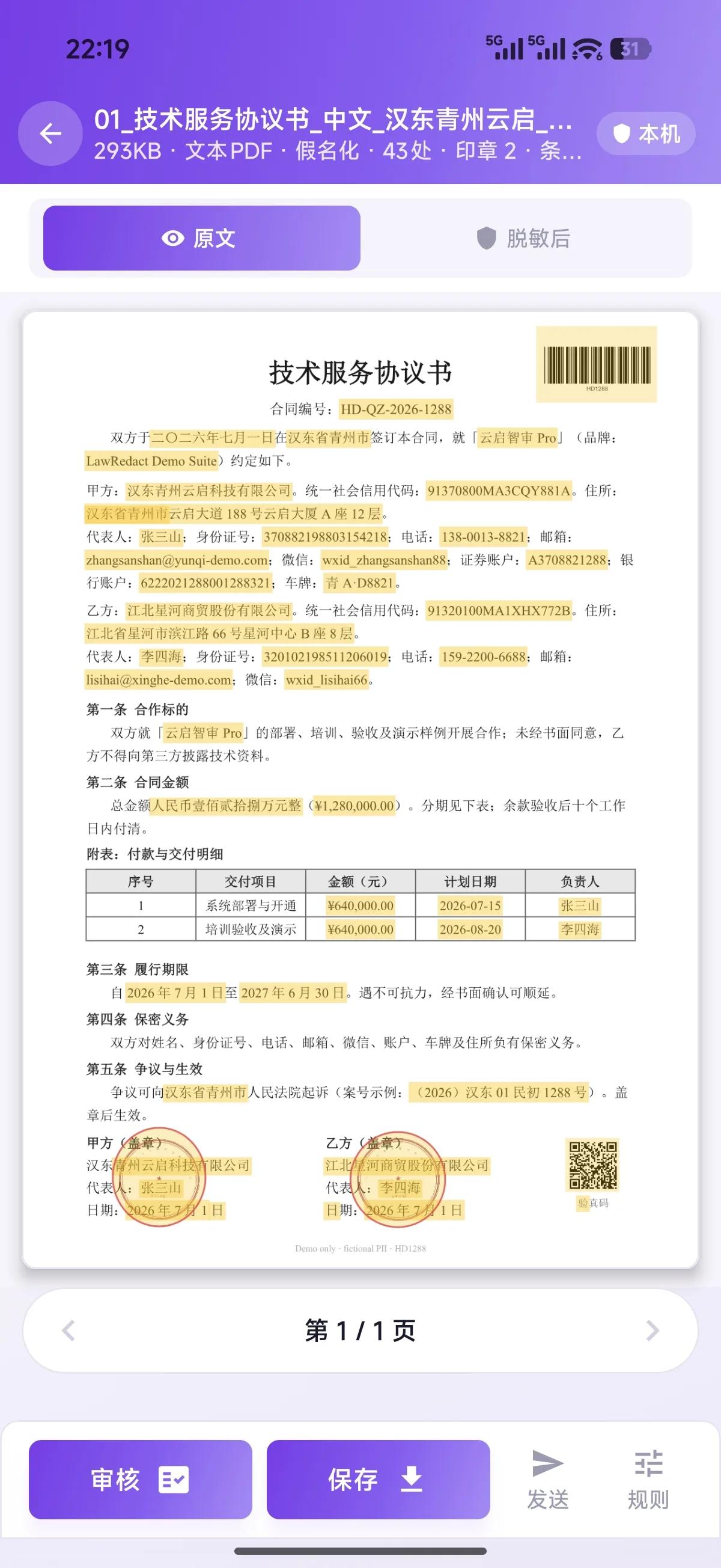
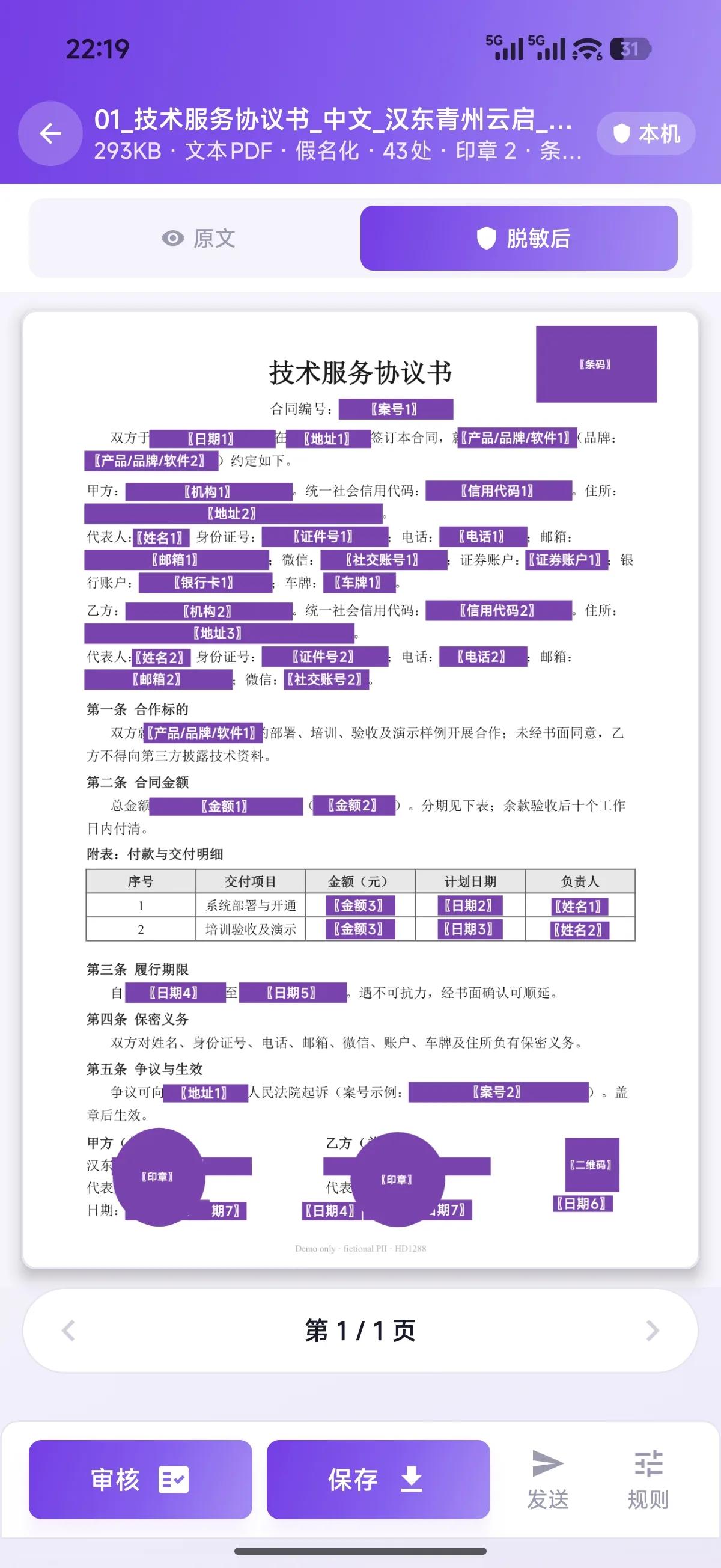
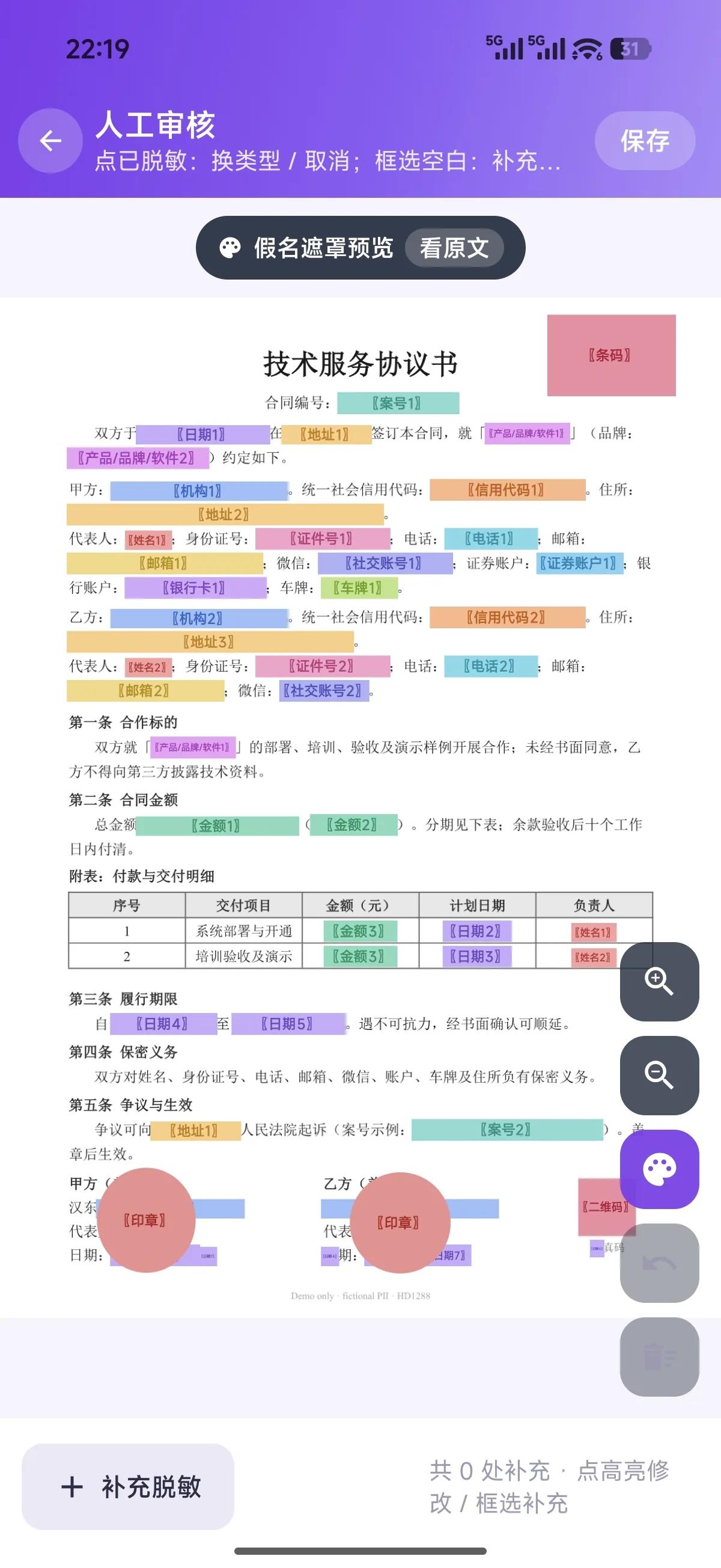
Workbench
Mobile Lightweight Edition
Licensed full mobile on Android / HarmonyOS; permanent free Lite on the App Store for iOS. Built for field work, court, and diligence.
Buy Android / HarmonyOS here or get a bonus seat with Desktop; iOS is free on the App Store
- Android / HarmonyOS: document scan and camera OCR from gallery or camera
- PDF, Word, and image coordinate masks aligned with desktop
- Chat-screenshot workflow for quick pre-send redaction
- iOS free Lite edition: offline recognition and review on-device
Getting started
Install and activate in three steps — all on your device
Step 1
Download & install
Pick your platform installer and complete setup
Step 2
Copy machine ID
Open the app and copy the machine ID from the activation dialog
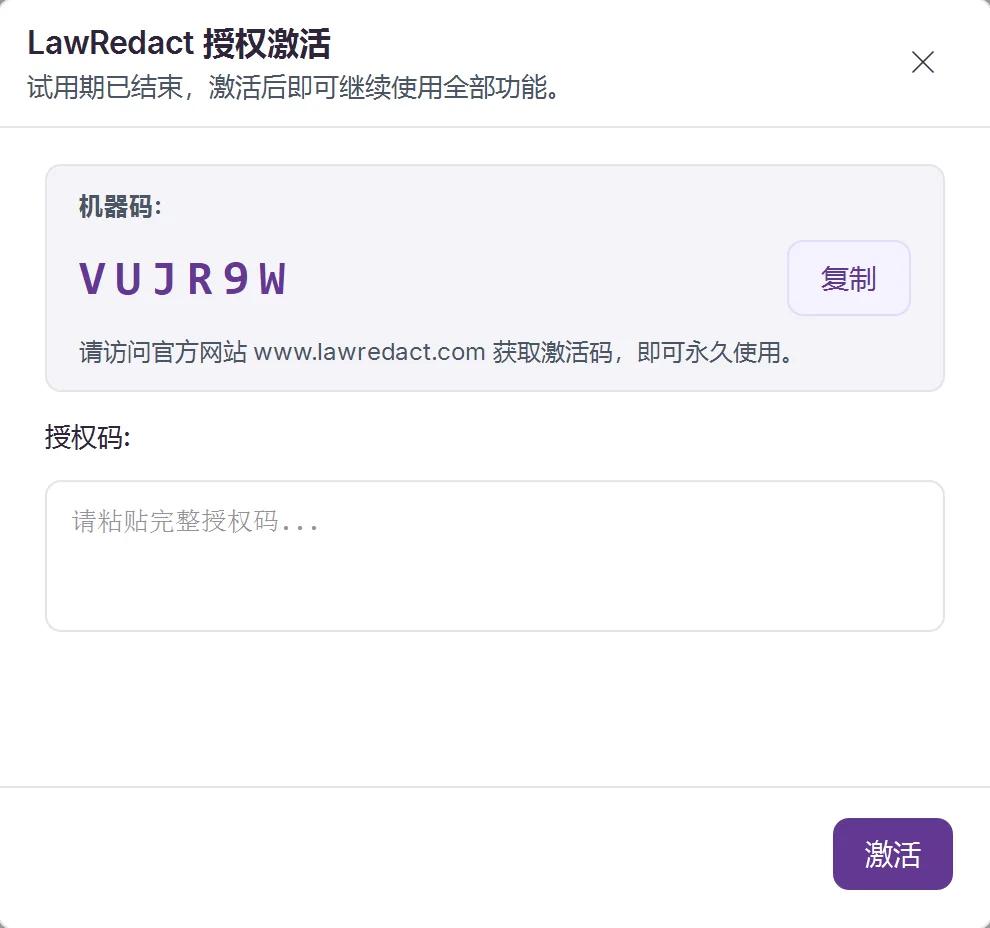
Paid customers: download Android / HarmonyOS from your order page, then activate with your machine ID. Install iOS from the App Store for free.
Desktop vs mobile
Same offline core — desktop for full workflows & A/V; mobile for scan, screenshots, and field share
Desktop · Full Suite
The workstation for law firms and legal teams — batch, A/V, and full review workflow.
Formats
- Word (.docx, layout preserved)
- PDF (text / scan / mixed, streaming OCR)
- Excel (.xlsx / .xls, column redaction)
- Images (JPG / PNG / BMP / WEBP / TIFF)
- Plain text (.txt / .md)
- JSONL batch data
- A/V transcript redaction (MP3 / WAV / MP4 / MOV, etc.)
Capabilities
- Folder batch import / case batch (shared pseudonym dictionary)
- Offline A/V transcription then redaction → Word / Markdown / TXT
- Interactive review + quality scoring + leak warnings
- 5 preset templates, per-entity-type config
- Pseudonym restore (document / project + Task Center) & allow/deny lists
- Export original / Word / Markdown + JSON compliance reports
- Full bilingual UI · runtime self-check
Ideal for
Mobile · Lightweight
Licensed full mobile on Android / HarmonyOS; permanent free Lite on the App Store for iOS. Built for field capture — scan, screenshots, quick PDF/Word jobs, and secure share.
Formats
- PDF (text / scan / mixed, coordinate mask export)
- Word (.docx)
- Images (OCR then redact, export PNG)
- Plain text / clipboard
- Document scan (live edges · perspective · auto-capture)
Capabilities
- Document scan: doc / ID / screen modes with edge detect & warp
- Chat-screenshot flow (WeChat / DingTalk / WeCom long shots)
- PDF highlight preview & coordinate mask export / system share
- Local docs · WeChat Downloads · system share import
- Stamp / barcode / QR visual masks & region editor
- Pseudonym, asterisk, mask & strict delete
- Same offline recognition core as desktop
Not included
- No Excel / CSV — export to PDF first
- No JSONL batch, folder batch, or case projects
- No A/V transcript, quality panel, templates, or reversible workflow
- Touch-simplified UI — less review depth than desktop
- iOS App Store: permanent free Lite edition (not the licensed full mobile suite)
Ideal for
Shared on Both
- 100% offline local processing
- LROLMLL core + built-in OCR
- 45 entity types & four redaction modes
- zh / en / ja / ko document recognition
- Machine-bound licensing, data never leaves device
For court filings and audit submissions, use desktop for full review. Mobile fits lightweight and field capture. iOS is a permanent free App Store edition — separate from licensed Android / HarmonyOS.